July 19, 2022
3
MIN READ

Zylo vs. Cledara: The "SaaS Scanner" vs. The "SaaS Operating System"

SaaS Insights

Deciding between Zylo and Cledara? We compare features, pricing, and strategy. Learn why Enterprises choose Zylo for cleanup, while Scaleups choose Cledara for control.

If your software costs are spiraling, you have likely narrowed your search for a solution down to two major players: Zylo and Cledara.

On the surface, they look similar. Both promise to tame "SaaS sprawl," reduce shadow IT, and save you money. But under the hood, they approach the problem from two completely different philosophies.

  • Zylo is an IT Asset Management (ITAM) tool designed for the Enterprise. It excels at scanning your organization to find the mess that already exists.
  • Cledara is a Financial Operations platform. It excels at structuring how software is bought and paid for, preventing the mess from happening in the first place.

This guide breaks down the critical differences to help you decide which operating model fits your company.

At a Glance: The Core Difference

Feature Zylo Cledara
Primary Strategy Reactive Discovery: Finds shadow IT by scanning expense reports and SSO logs. Proactive Control: Prevents shadow IT by issuing virtual cards for every subscription.
Best For Enterprise IT Teams (2,000+ employees) focused on compliance and cleanup. Finance & Ops Teams (50-2,000 employees) focused on budget control and agility.
Payments None. You cannot pay for software via Zylo. Native. Built-in virtual Visa/Mastercard debit cards and 30 free physical cards for T&E
Implementation Heavy. Requires integrations with ERP/Expense tools to "see" data. Fast. You can start issuing cards and paying for software immediately.
Pricing Opaque. "Contact Sales" (Typically high annual contract value). Transparent. Public pricing.

1. Discovery vs. Control: The "Scanner" vs. The "Gatekeeper"

The fundamental difference lies in how each tool handles Shadow IT (software purchased without approval).

Zylo: The Scanner

Zylo acts as a powerful search engine for your company's past behavior. It connects to your expense systems (like Concur or Expensify) and your SSO (like Okta) to "scrape" data and tell you what your employees have already bought.

  • Pros: Great for finding "skeletons in the closet" in massive organizations with thousands of employees.
  • Cons: It is reactive. By the time Zylo sees the charge, the money has already left the building. You are constantly chasing employees to cancel tools they've already expensed.

Cledara: The Gatekeeper

Cledara sits in the flow of funds. Instead of letting employees put software on personal cards or a shared corporate Amex, you issue a unique virtual Cledara card for every subscription (e.g., one card for Zoom, one for Slack).

  • Pros: You have total control. If a tool is unapproved, you can freeze the card instantly. Renewals don't happen by accident because the budget is capped at the card level.
  • Cons: Requires a shift in process—you move software spend onto Cledara cards.

The Verdict: If you have 10,000 employees and just need a report on the chaos, choose Zylo. If you want to stop the bleeding and control the cash, choose Cledara.

2. The Payment Layer (Cledara’s "Killer Feature")

This is the starkest operational difference.

Zylo does not process payments. It is a dashboard. You still have to pay for your software using other bank accounts or corporate cards, then feed that data into Zylo. This means Zylo has a "read-only" relationship with your money.

Cledara is a payment platform. You pay for your software through Cledara. This unlocks capabilities Zylo cannot offer:

  1. Instant Cancellation: Want to cancel a tool? Click a button in Cledara to kill the card. The vendor cannot charge you again. With Zylo, you have to email the vendor and hope they process it.
  2. Budget Caps: You can set a card to only allow $500/month. If a vendor tries to charge $600 (a surprise price hike), the transaction fails. Zylo would only alert you after you paid the higher price.
  3. Cashback: Cledara pays you 1% cashback on software spend (in the US, 1% for the first year in UK/EEA). Zylo costs you money; Cledara makes you money.

3. Pricing & ROI

Zylo follows the traditional Enterprise software sales model. Pricing is not public, requires a sales cycle, and typically involves a significant annual platform fee. The ROI comes from "found savings" (e.g., identifying duplicate tools), but it may take 6-12 months to realize these savings after a lengthy implementation.

Cledara offers transparent pricing and immediate ROI.

  • Pricing: You can see plans on the website.
  • ROI: The cashback model often covers the cost of the platform during the first year. If you spend $100k/year on software, you earn $1k back. Plus, the savings from blocking unwanted renewals are instantaneous.

Conclusion: Which is right for you?

Choose Zylo if:

  • You are a large Enterprise (2,000+ employees).
  • Your main problem is cleaning up a massive, existing mess of Shadow IT.
  • You need deep, granular license harvesting for tools like Microsoft 365 or Salesforce.
  • You are an IT leader looking for an Asset Management tool.

Choose Cledara if:

  • You are a Startup, Scaleup, or Mid-Market company (50-1,000 employees).
  • You want to control spending, not just report on it.
  • You want the operational power to cancel subscriptions instantly and block overcharges.
  • You want a tool that pays for itself via cashback.
  • You are a Finance or Ops leader building a scalable "Finance Stack."

Stop chasing receipts and start controlling your spend.(https://www.cledara.com/book-a-demo) today.

Can Zylo issue virtual cards for software payments?

No, Zylo is an IT Asset Management (ITAM) platform, not a payment provider. It tracks spend by integrating with your existing ERP or expense systems. Cledara issues its own virtual Visa/Mastercard debit cards, allowing you to pay for software directly and earn cashback.

How does Cledara prevent Shadow IT compared to Zylo?

Zylo uses a "reactive" method, scanning expense reports and SSO logs to find unapproved apps after they have been purchased. Cledara uses a "proactive" method by requiring employees to request a virtual card for new subscriptions. If the request isn't approved, the purchase cannot happen, stopping Shadow IT at the source.

Is Cledara cheaper than Zylo?

Typically, yes. Cledara offers transparent, tiered pricing suitable for startups and scaleups, and includes a cashback reward during the first year that can offset the platform cost. Zylo uses custom enterprise pricing that is generally higher and aimed at large organizations with complex license management needs.

Can I use both Zylo and Cledara?

It is possible but rare. Extremely large enterprises might use Zylo for historical reporting and license compliance across thousands of users, while using Cledara or a similar tool to manage the payment and procurement flow for specific departments or subsidiaries. However, for most companies under 2,000 employees, choosing one platform that aligns with your primary goal (Control vs. Discovery) is more efficient.

Contents

Contents

The software management solution for finance teams.

Learn more

Subscribe to our newsletter

Receive the latest insights in your inbox

Share this post

Subscribe to our newsletter and stay informed on the latest SaaS insights

Sign up

Explore more

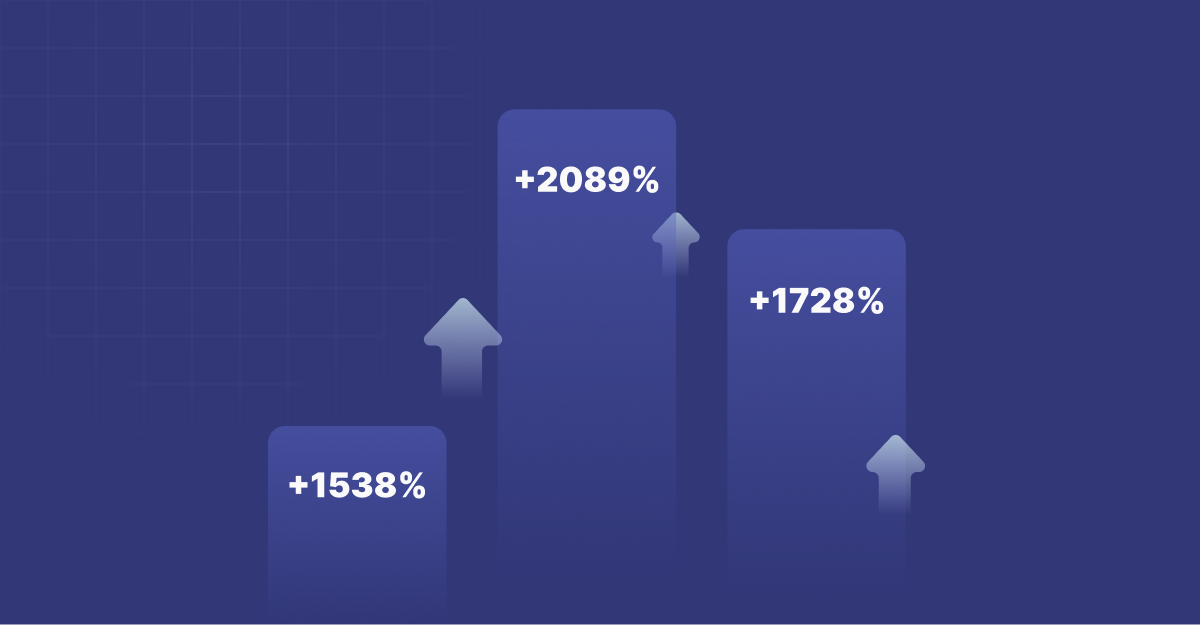
The 15 Fastest-Growing SaaS Tools Right Now

Lovable grew 2,089%. Claude grew 1,728%. Here are the 15 fastest-growing SaaS tools, ranked by real transaction growth.
Read more

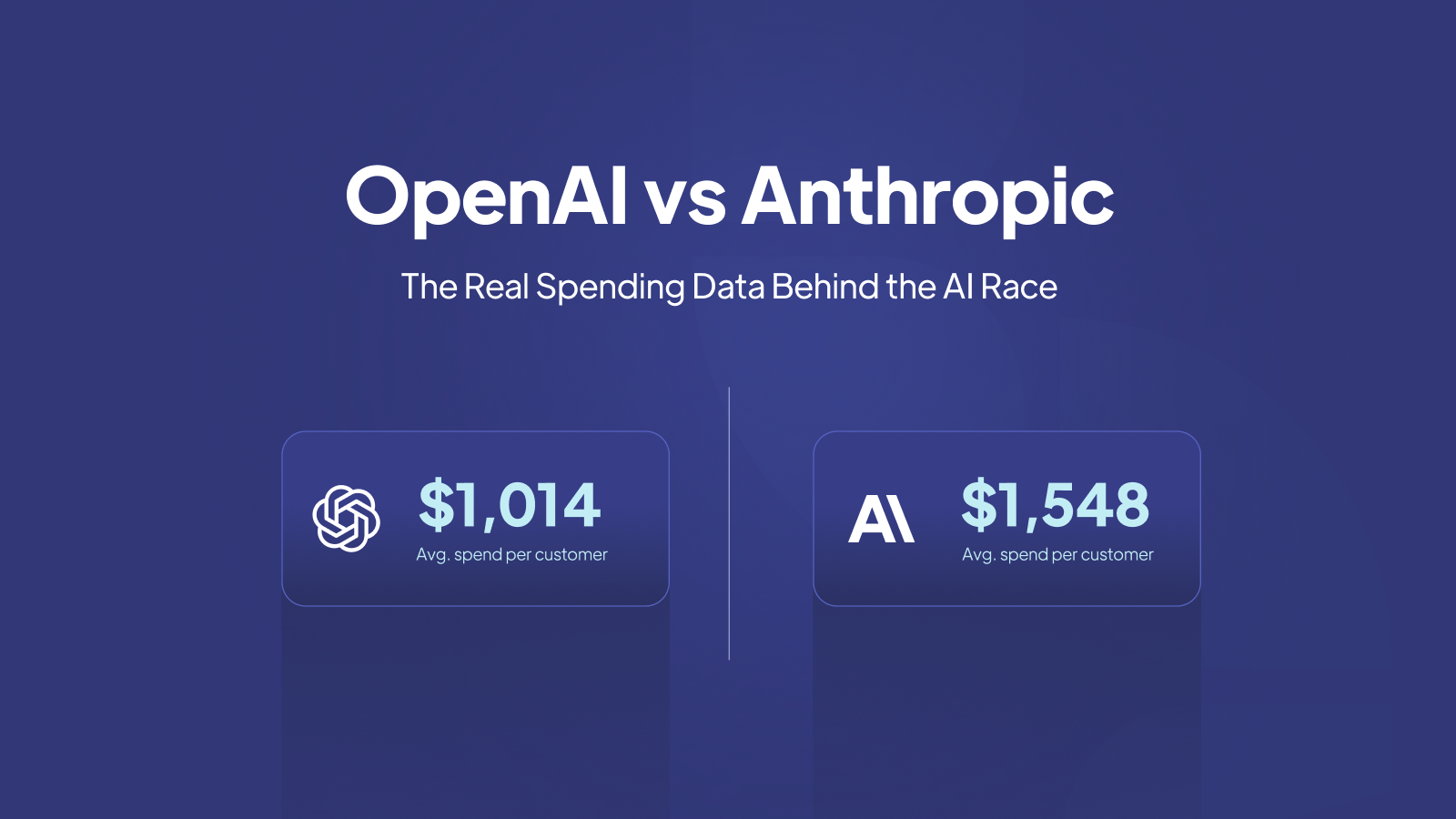
OpenAI vs Anthropic: The Real Spending Data Behind the AI Race

Cledara's transaction data reveals the moment Anthropic overtook OpenAI in enterprise spend, and what the Pentagon controversy means for how companies choose AI providers.
Read more

Datadog vs New Relic vs Grafana: What Companies Actually Spend on Observability

Datadog costs $30,809/year on average. Here is how observability spending compares across Datadog, New Relic, and Grafana in 2026.
Read more

Why Your Company Needs SaaS Management

The median company has 25 SaaS subscriptions. The top 10% have 49 or more. Here is why every company needs SaaS management.
Read more

What Engineering Teams Actually Spend On: The Data Behind the Tools

From Datadog at $30,809/year to Cursor at $5,857, here is what engineering teams actually spend on their tools.
Read more

UK vs US vs Europe: How SaaS Spending Differs by Region

US companies spend $349K on SaaS per year on average, nearly double the UK. Here is how software purchasing patterns differ across regions.
Read more

How AI Coding Tools Are Reshaping Engineering Spend

Engineering teams are spending 3x more on AI coding tools than they were 14 months ago. The data behind the developer tooling revolution.
Read more

The 50 Most Popular SaaS Tools in 2026, Ranked by Real Purchases

The definitive ranking of the 50 most popular SaaS tools in 2026, based on real transaction data, not surveys.
Read more

AI is Eating the SaaS Budget: How AI Tools Went from 8.8% to 26.4% of All Purchases

AI tools grew from 8.8% to 26.4% of all SaaS transactions in just 14 months. Here is what the spending data reveals about the AI takeover.
Read more

2025: The Year Software Management Got Harder And How Cledara Made It Easier

What changed, what we built, and what it means for Finance teams.
Read more

SaaS Management: Why You Need It, When to Implement It, and the Disasters That Happen Without It

Learn why SaaS management matters, the triggers that force adoption, and real disaster stories—plus a practical 30/60/90-day rollout plan.
Read more

The effects of funding on software spend

We were curious what really happens to software spend after a company raises funding, so we dug into the data to find out.
Read more

DocuSign vs. HelloSign (now Dropbox Sign): Which Is The Better eSignature Tool?

Choosing between DocuSign and Dropbox Sign requires understanding their distinct features, pricing models, and integration capabilities to determine which eSignature solution best aligns with your business needs.
Read more

8 Top Tools for Small Business Expense Tracking

Every dollar counts. Learn how the right expense tracking tools can help you cut waste, improve budgeting, and stay financially smart.
Read more

5 Best SaaS Management Tools to Keep Track of Your Apps

Discover the top 12 SaaS management tools to help you monitor your apps, optimize your tech stack, and slash software spend.
Read more